Catch-All Isn't a Mailbox Status. It's a Verifier's "We Don't Know."
If you're evaluating B2B data vendors and running sample lists through an email verifier like ZeroBounce or NeverBounce, you'll see some results labeled "catch-all." That label can look like a red flag, but it isn't a verdict on the email. It means the verifier couldn't get an answer. This post explains what's actually happening, why enterprise data makes it show up more often, and the only reliable way to compare data quality across vendors.
TL;DR: If you're evaluating B2B data vendors and running sample lists through an email verifier like ZeroBounce or NeverBounce, you'll see some results labeled "catch-all." That label can look like a red flag, but it isn't a verdict on the email. It means the verifier couldn't get an answer. This post explains what's actually happening, why enterprise data makes it show up more often, and two ways to actually test data quality. Start with a free check at app.revenuebase.ai, and go as deep as a controlled send test if you want maximum proof.
How a typical email verifier works
Before we get to catch-all, it helps to understand how most third-party verifiers work, because the label only makes sense once you know what they're trying to do.
When you run an email through a tool like ZeroBounce or NeverBounce, it does not send a message. It opens a conversation with the receiving mail server and asks, in plain terms, "does this mailbox exist?" That conversation happens through a standard protocol called SMTP, which is how mail servers talk to each other behind the scenes.
Think of it like knocking on a door to see if anyone lives there. If the server answers "yes, this mailbox is here," the verifier marks the email valid. If the server says "no such mailbox," it marks it invalid. Clean and simple, when the server cooperates.
Corporate mail servers are often designed not to cooperate. That's where catch-all comes from.
So what does "catch-all" actually mean?
A catch-all result means the mail server answered "yes" to every knock. Not just your specific email. Every possible address at that domain.
That sounds strange, but it's intentional. Most serious companies configure their mail servers this way on purpose because:
- It prevents spammers from figuring out which employees are real
- It stops automated tools from harvesting addresses off their domain
- It blocks the exact trick verifiers use to confirm mailboxes exist
When a server behaves this way, a basic verifier can't tell if any specific email is real. So it reports "catch-all," which really means "I asked, and the server won't tell me."
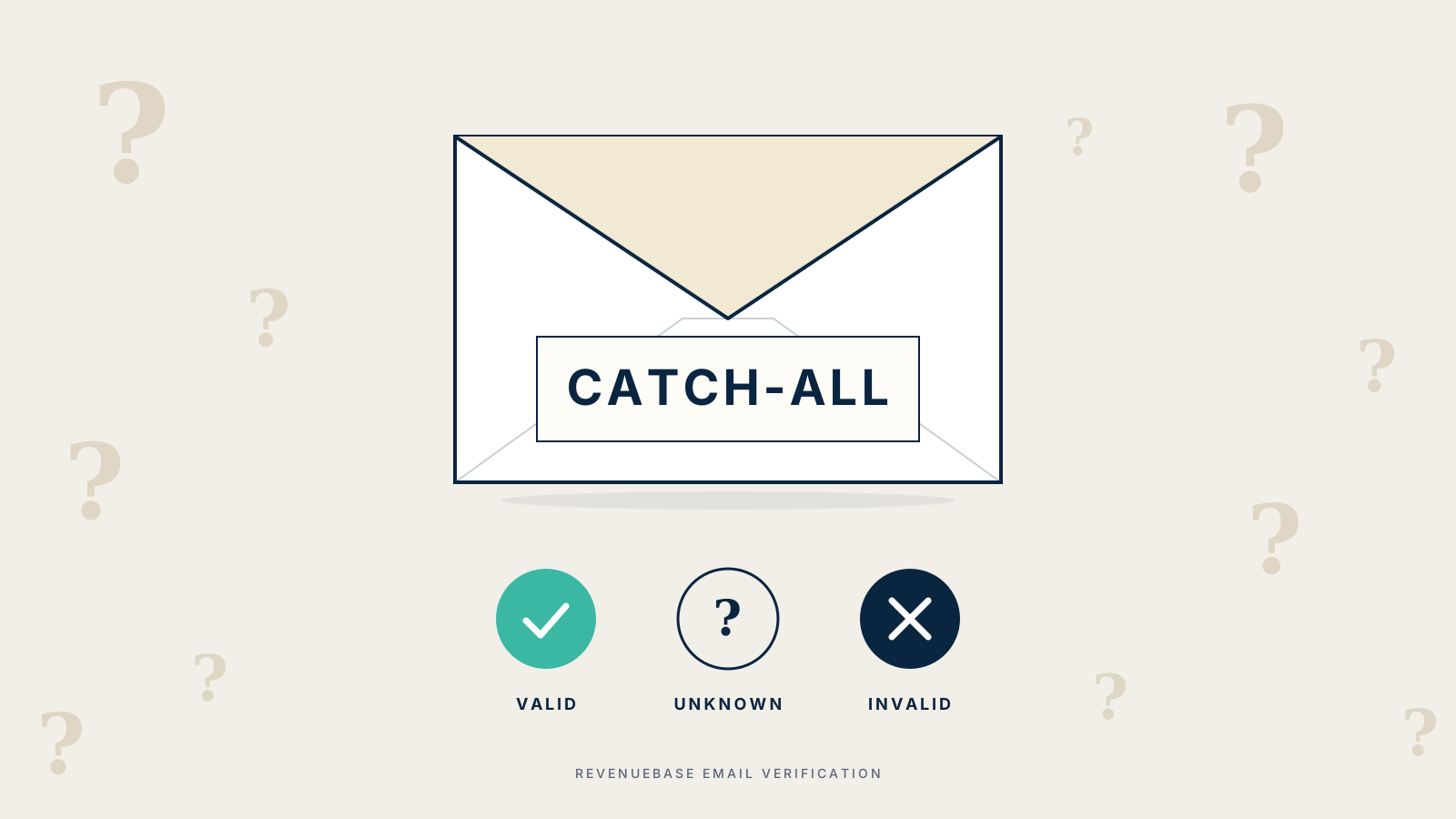
Different verifiers use different words for the same situation. You'll see "catch-all," "unknown," "risky," "accept-all," or "greylisted." They all point to the same outcome: the verifier failed to confirm the email, and it's reporting uncertainty rather than a real answer.
Why enterprise data triggers catch-all more often
Here's the pattern most buyers miss when they compare vendors side by side: catch-all rates are driven more by the kind of companies in your data than by the quality of the data itself.
Run a sample of Gmail, Outlook, and Yahoo addresses through any verifier and you'll see almost no catch-all results. Consumer mail providers respond honestly to verification requests.
Now run a sample of Fortune 500 companies, banks, defense contractors, healthcare systems, or any organization with a serious IT team. Catch-all rates jump. These companies spend real money on anti-harvesting defenses, and those defenses confuse verifiers by design.
This matters for vendor evaluation. If one vendor's data skews toward enterprise buyers (which is usually what you want in B2B), their verifier scores on third-party tools will look worse than a vendor whose data is mostly small businesses on Gmail. That gap is not about data quality. It's about who the data covers.
A term worth clearing up
"Catch-all" in a verifier report is a different thing from the "catch-all inbox" your IT team might mention. Your IT team usually means a shared inbox that receives mail for addresses no longer in use (like when someone leaves the company). That's a specific internal routing choice.
The verifier label is about something else entirely. It's about how the receiving mail server behaves during an automated check. Same name, different concept.
What "valid" and "invalid" actually mean
If catch-all is ambiguous, it's fair to ask how reliable the other labels are.
Valid means the verifier is reasonably confident the mailbox exists. It does not guarantee the message will land in the inbox. Inbox placement depends on your sender reputation, your content, and whether your domain is authenticated correctly. A valid email can still end up in spam if your sending infrastructure isn't set up well.
Invalid means the verifier is reasonably confident the mailbox doesn't exist, usually because the server clearly rejected the check.
Everything in between (catch-all, unknown, risky) is the verifier admitting it couldn't get a clear answer.
How RevenueBase handles this differently
We don't do SMTP checks. At all. The method that produces catch-all labels in the first place isn't something we use, and stepping around it is how we avoid the whole problem.
Instead of knocking on the mail server, we verify something more direct: whether the email account actually exists and is registered on the domain. If an account exists, it can receive mail. That's the definition of an email account. So once we've confirmed existence, we can return a decisive answer without ever going near an SMTP handshake.
That lets us return one of three statuses: valid, invalid, or unknown. No catch-all bucket. No "risky." No hedge words that leave you to sort things out.
About unknown: we use it only on the small share of addresses where our existence check doesn't give us enough confidence to call it. Rather than guess and inflate our valid count, we mark it unknown. That restraint is part of how we think about integrity. When we say valid, we mean it, and our numbers have to earn it. When we're not sure, we say so.
In practice, our unknown rate is much lower than the catch-all rate you'll see on the same list from SMTP-based verifiers, because the thing that triggers catch-all isn't part of our method. Our contact data is 98% accurate, and emails from our database deliver at 95%+ in real sending conditions.
One more thing worth being clear about: we do not send emails to verify them either. Nobody gets a test message from us. The "verified on" date you see on a record is the last time our system confirmed that the account exists and is expected to receive mail.
How to actually test data quality
If you're evaluating vendors, don't compare third-party verifier reports side by side. It's tempting because the reports look comparable, but they aren't. Two vendors can have genuinely equivalent data quality and produce wildly different scores, purely because their data mixes are different.
There are two better ways to test, depending on how much rigor you want.
Start here: run your sample through RevenueBase for free
The fastest way to get a real signal is to sign up for a free account at app.revenuebase.ai and run your sample list through our email verification. No sending required. You'll see how many addresses come back valid, invalid, or unknown, and you can compare those numbers directly against what ZeroBounce or NeverBounce returned on the same list.
If we return a batch of addresses as valid that another verifier labeled catch-all, that's the signal you're looking for. It means our existence check resolved what their SMTP check couldn't.
This is where most buyers should start. It takes minutes, it doesn't require sending infrastructure, and it answers the core question: are the addresses other tools labeled catch-all actually real or not.
For the most skeptical buyers: run a controlled send test
If you want to go deeper and measure real-world deliverability, send actual mail and track bounce rates. This takes more work, but it's the strongest proof you can run. The protocol:
- Build matched lists. Same people, same companies, across every vendor you're testing. If the lists aren't matched, you're not comparing vendors, you're comparing markets.
- Use warmed sending infrastructure. Cold domains and cold IPs make any list look bad. If you send from a fresh domain, bounce rates will be inflated no matter whose data you used.
- Send the same message. Same subject, same body, same time window. You're trying to isolate the data as the only variable.
- Measure hard bounces within 72 hours. A hard bounce is a permanent rejection because the mailbox doesn't exist. That's the measure that matters. Ignore opens and clicks for this test. Those tell you about engagement, not validity.
- Pay attention to enterprise domains specifically. That's the cohort where verifiers separate. A vendor whose data delivers cleanly to Fortune 500 inboxes is doing real work.
Expect a little noise. Even a perfect list will show a small percentage of bounces because people leave jobs, servers have off days, and addresses get deprovisioned. But across a meaningful sample, the pattern will be clear.
Most buyers don't need to get this far. The free test at app.revenuebase.ai will answer the question for you. The send test is for the most skeptical buyers who need maximum proof before moving budget.
FAQ
Does a "catch-all" label mean the email is bad? No. It means the verifier couldn't determine the email's status, usually because the mail server is configured to block that kind of check. The email may be perfectly deliverable.
Why do some vendors show more catch-all results than others? Catch-all rates depend on the types of companies in the data, not just the data quality. Data that skews enterprise will show more catch-all results than data that skews small business, even if both are accurate.
What statuses does RevenueBase return? Three: valid, invalid, and unknown. We use unknown only when our existence check can't establish enough confidence to call the address one way or the other. We don't guess.
Does RevenueBase do SMTP checks? No. SMTP checks are what produce catch-all labels in the first place. We verify that the account exists and is registered on the domain, which sidesteps the whole problem.
Does RevenueBase send test emails during verification? No. We never send messages. We verify account existence directly and don't rely on probing the mail server.
Is a "valid" email guaranteed to land in the inbox? No. "Valid" predicts that a message won't hard-bounce. Inbox placement depends on your sender reputation, your authentication setup, and the content of your message.
How should I compare data vendors? Start by running matched samples through RevenueBase's free email verification at app.revenuebase.ai. If that doesn't settle it, run a controlled send test from warmed infrastructure and compare hard-bounce rates within 72 hours.
What's the difference between a verifier's "catch-all" and my company's "catch-all inbox"? They share a name but mean different things. A verifier's catch-all is about mail server behavior during automated checks. A company's catch-all inbox is an internal routing choice for misdirected mail.
Are there verifiers that are more accurate than others? Yes, but the way to know isn't to compare their reports. It's to compare hard-bounce rates on matched samples. Labels from different tools use different logic and aren't directly comparable.
The bottom line
Evaluating B2B data is genuinely hard because the tools meant to measure quality often produce misleading signals. If one vendor shows more catch-all results than another on a third-party report, you haven't learned which vendor has better data. You've learned something about who each vendor sells to.
The real answer comes from running the same addresses through a verifier that doesn't have the catch-all problem, or from sending mail and watching what bounces. Start with the free test at app.revenuebase.ai. If you want to go further, we'll send a matched sample you can benchmark against any other provider.

Take it further
See the data behind the argument.
Every claim we make is backed by data you can verify yourself.